A single dropped connection during a client presentation can cost you the contract, the relationship, and your professional reputation. For remote workers operating from mobile office RVs, redundant internet connectivity isn’t a luxury, it’s the foundation of business continuity. This guide delivers everything you need to build a bulletproof backup internet system for your RV office in 2026.
Why Backup Internet Is Critical for a Mobile Office RV
Remote work from an RV sounds like the ultimate freedom, until your primary connection fails mid-Zoom call with your biggest client.
The professional stakes of unreliable connectivity extend far beyond inconvenience:
- Video conferencing demands: Modern platforms like Zoom, Teams, and Google Meet require stable 5–10 Mbps connections. A single dropout can freeze your screen, mute your voice, or disconnect you entirely.
- VPN reliability: Secure corporate network access through VPNs is notoriously sensitive to connection instability. A brief signal loss can terminate your session, requiring re-authentication and workflow disruption.
- Cloud collaboration: Real-time tools like Google Docs, Notion, and Slack sync constantly. Connection gaps create version conflicts and missed messages.
- Client perception: Repeated technical difficulties signal unprofessionalism, regardless of your actual expertise.
The hidden cost of single-source connectivity? One failed connection during a critical deliverable can mean lost revenue, damaged relationships, and missed deadlines that compound over weeks.
Professional RV workers who depend on consistent income cannot afford to gamble on a single internet source, especially when traveling through variable coverage zones.
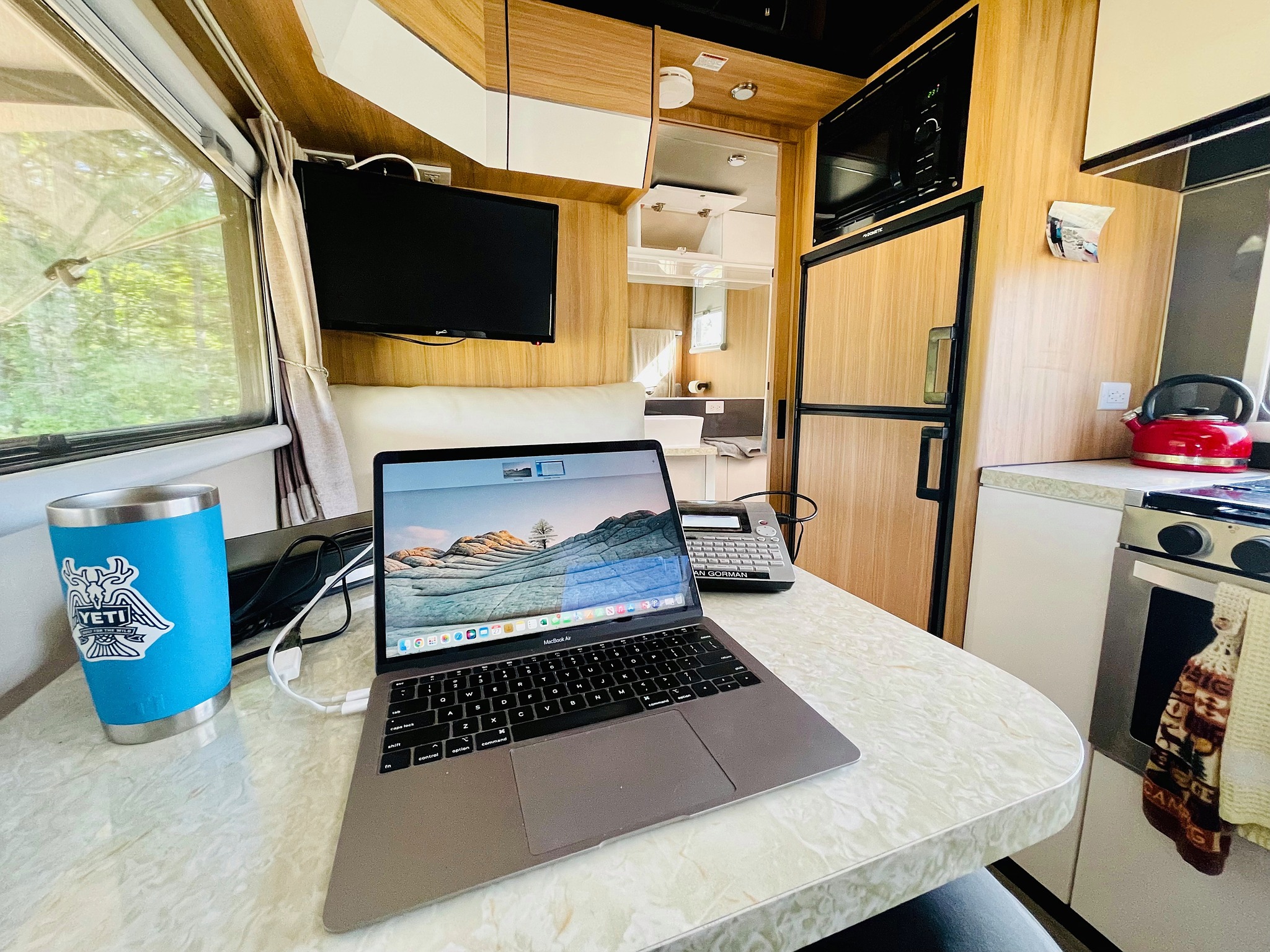
What Is a Mobile Office RV Backup Internet Setup?
A backup internet setup for RV offices means maintaining multiple independent internet sources that can seamlessly replace each other when one fails.
Primary vs. Secondary Connections
Your primary connection handles daily workload, the fast, reliable source you use most often. Your secondary (backup) connection activates when the primary fails, providing business continuity rather than optimal speed.
Failover vs. Manual Switching
Two approaches exist for switching between connections:
Professional-grade mobile routers from Pepwave or MOFI offer automatic failover, while basic setups require manually enabling your phone’s hotspot when primary service drops.
Enterprise IT Principles, Simplified
Corporate networks use redundancy architecture with multiple ISPs, backup power, and automatic failover. Your mobile office RV applies identical principles at smaller scale:
- Diverse carriers: Using Verizon and AT&T provides redundancy against single-carrier outages
- Different technologies: Combining cellular with satellite ensures coverage gaps don’t overlap
- Independent power: Backup connections need dedicated power sources
Primary Internet Options for a Mobile RV Office
Understanding your primary options helps you select the right backup strategy. Each technology has distinct strengths and coverage patterns.
Cellular Data (4G/5G)
Cellular hotspots and mobile routers form the foundation for most mobile office setups. Coverage spans most highways and populated areas, with 5G delivering speeds rivaling home broadband in urban zones.
Advantages: Wide coverage, familiar technology, competitive unlimited plans
Limitations: Dead zones in remote areas, deprioritization during network congestion
Satellite Internet (Starlink)
Starlink Roam excels in remote areas where cellular towers are unavailable, providing high-speed satellite connectivity with portable setup. Monthly plans range from $10/month for 10GB backup use to unlimited options for full-time work.
Advantages: Works anywhere with sky visibility, high speeds even off-grid
Limitations: Requires clear sky view, higher power consumption, weather sensitivity
Campground and Public Wi-Fi
Free campground Wi-Fi seems attractive but rarely delivers professional reliability. Shared bandwidth, security vulnerabilities, and inconsistent quality make it unsuitable as a primary source.
Critical distinction: Your primary network is NOT your backup network. Relying on campground Wi-Fi as your only fallback creates a single point of failure when you need redundancy most.
Best Backup Internet Options for RV Remote Work
Effective backup internet for RV offices requires deliberate redundancy across carriers and technologies. Here are the top configurations ranked by reliability:
Tier 1: Dual-Carrier Cellular Redundancy
The most practical backup for most RV workers involves carrying SIM cards from two different carriers.
Setup: Verizon as primary + AT&T hotspot as backup (or vice versa)
This approach ensures coverage continuity since carrier coverage maps don’t overlap perfectly. Where Verizon drops, AT&T often maintains signal, and vice versa.
Tier 2: Satellite as Dedicated Backup
Using Starlink exclusively as backup provides coverage where all cellular fails, deep wilderness, mountain valleys, and remote boondocking locations.
Setup: Cellular primary + Starlink Roam ($10-50/month mobile plan)
Reserve satellite for true emergencies and off-grid work sessions rather than daily use.
Tier 3: Portable Hotspot with External Antenna
Signal boosters and external antennas extend cellular range significantly. A WeBoost or similar booster can transform marginal signal into workable connectivity.
Setup: Mobile router + cellular booster + external antenna
This configuration maximizes cellular reliability before needing satellite backup.
Reliability Comparison

Redundant Internet Setup for a Mobile Office RV (Step-by-Step)
Follow this systematic process to build reliable redundant connectivity for your mobile office:
Step 1: Select Your Primary Network
Choose the carrier with best coverage along your typical travel routes. Check coverage maps for Verizon, AT&T, and T-Mobile, prioritizing areas where you’ll spend the most work time.
Action: Purchase an unlimited data plan with hotspot capability or a dedicated mobile router.
Step 2: Configure Your Secondary Connection
Select a backup that uses different infrastructure than your primary:
- If primary is Verizon cellular → backup with AT&T or satellite
- If primary is Starlink → backup with cellular hotspot
Action: Activate a secondary SIM or Starlink Roam subscription with minimal monthly commitment.
Step 3: Set Up Your Router for Automatic Switching
For professional setups, a dual-WAN router manages failover automatically:
- Insert both SIM cards into a dual-carrier router (Pepwave, MOFI)
- Configure primary and backup priority in router settings
- Set failover trigger thresholds (signal strength, packet loss)
- Enable automatic reconnection when primary recovers
Budget alternative: Keep your phone’s personal hotspot ready to enable manually when primary fails.
Step 4: Test Failover Under Real Conditions
Before depending on your backup during critical work:
- Disable primary connection intentionally
- Verify backup activates within acceptable timeframe
- Test video call quality on backup connection
- Confirm VPN reconnects properly
- Re-enable primary and verify automatic return
Step 5: Establish Monitoring and Maintenance
Ongoing reliability requires periodic attention:
- Test backup connections monthly
- Monitor data usage across all connections
- Update router firmware regularly
- Verify SIM cards remain active
Power Considerations for RV Backup Internet Systems
Redundant internet means nothing if your power system can’t sustain it. Network equipment draws continuous power that compounds with multiple devices.
Power Consumption by Device
Running a full connectivity stack, router, booster, Starlink, and laptop, requires 560-1,080 Wh daily, or roughly 50-100 Ah from a 12V lithium battery system.
Power System Options
Lithium battery systems provide the most reliable foundation for mobile office power. Their consistent voltage output and deep discharge capability support continuous network equipment operation.
Portable power stations work for lighter setups but may struggle with simultaneous Starlink and laptop charging during extended work sessions.
Solar integration becomes essential for extended boondocking. A BlackSeries off-road trailer with integrated solar panels can maintain network equipment indefinitely without shore power.
BlackSeries designs off-grid electrical systems with mobile office demands in mind, integrating solar capacity, lithium storage, and 12V/120V outlets positioned for workspace convenience.
Best Use Cases for Mobile Office RV Backup Internet
Different work styles demand different redundancy levels. Match your setup to your actual requirements:
Full-Time Remote Employees
Corporate employees with fixed schedules and mandatory meetings need maximum redundancy. Video conferences with stakeholders cannot tolerate connection drops.
Recommended setup: Dual-carrier router + Starlink backup + cellular booster
Consultants and Freelancers
Project-based workers with flexible schedules can tolerate occasional brief outages. However, client calls and deliverable uploads still require reliability.
Recommended setup: Primary cellular + secondary carrier hotspot
Content Creators
YouTubers, podcasters, and streamers uploading large files need sustained bandwidth. Cellular throttling during heavy uploads makes satellite backup valuable.
Recommended setup: Starlink primary + cellular backup for mobility
Remote and Off-Grid Workers
Overlanders and boondockers in areas without cellular coverage depend entirely on satellite. Cellular becomes the backup for when satellite dishes can’t achieve sky visibility.
Recommended setup: Starlink primary + cellular backup + aggressive power management
Common Mistakes in RV Backup Internet Planning
Avoid these errors that undermine even well-intentioned redundancy setups:
Mistake 1: Single Network Source
Many RV workers assume “unlimited” cellular plans provide sufficient reliability. A single carrier outage, whether regional network issues or coverage gaps, leaves you completely offline.
Solution: Always maintain at least two independent internet sources.
Mistake 2: Ignoring Signal Amplification
Weak cellular signal causes more connection problems than complete dead zones. A marginal signal that technically “works” delivers frustrating speeds and frequent drops.
Solution: Invest in a quality cellular booster before adding expensive backup options.
Mistake 3: Trusting Campground Wi-Fi
Free Wi-Fi at RV parks and campgrounds is shared among hundreds of users, often with inadequate bandwidth and security vulnerabilities.
Solution: Treat campground Wi-Fi as absolute last resort, never as planned backup. Always use VPN when connecting.
Mistake 4: Skipping Failover Testing
Assuming your backup works without testing creates false confidence. Hardware failures, expired SIMs, and misconfigured routers only reveal themselves during emergencies.
Solution: Test backup connections monthly under realistic conditions.
Is a Redundant Internet Setup Worth It for RV Work?
The cost-benefit calculation depends on your work’s connectivity sensitivity:
When Redundancy Is Essential
- Income depends on uptime: Missed client calls mean lost revenue
- Corporate employment: Employer expectations assume reliable connectivity
- Time-zone-bound work: You can’t reschedule calls to “when you have signal”
- High-value deliverables: Contract deadlines don’t accommodate technical difficulties
When Simpler Setups Suffice
- Asynchronous work: Email-based communication tolerates delays
- Flexible scheduling: You control when work happens
- Urban travel patterns: Consistent cellular coverage reduces backup necessity
Cost vs. Risk Analysis
For professionals earning $5,000+ monthly from remote work, $100-200 in connectivity redundancy represents insurance against potentially devastating income loss.
BlackSeries understands that mobile office reliability extends beyond internet, it encompasses power systems, workspace ergonomics, and off-grid capability. Our travel trailers integrate the electrical infrastructure serious remote workers require for sustained professional productivity.
Frequently Asked Questions
What is the best backup internet for a mobile office RV?
The best backup internet combines a secondary cellular carrier with Starlink satellite service. Dual-carrier redundancy covers most populated areas, while satellite provides coverage in remote locations where all cellular fails. For maximum reliability, use a dual-WAN router that automatically switches between sources.
Do I need both cellular and satellite internet in an RV office?
For full-time remote work with strict availability requirements, yes. Cellular alone fails in remote areas, while satellite alone limits mobility and requires clear sky views. The combination ensures connectivity across all travel scenarios: highways, campgrounds, and deep wilderness.
How do I set up redundant internet for RV remote work?
Start by selecting a primary cellular carrier with good coverage along your routes. Add a secondary connection using a different carrier or satellite service. Configure automatic failover through a dual-WAN router, or prepare manual switching via phone hotspot. Test failover monthly to ensure backup reliability.
Is backup internet necessary for full-time RV working?
For professionals whose income depends on consistent connectivity, backup internet is essential rather than optional. A single network source creates unacceptable risk during important calls, deadlines, and client communications. The monthly cost of redundancy is minimal compared to potential lost income from connection failures.
Build your mobile office on a foundation designed for serious off-grid work. Explore BlackSeries travel trailers engineered with integrated solar, lithium power systems, and workspace-ready interiors that support professional remote work anywhere your adventures lead.

