A digital nomad RV setup requires a functional desk and reliable power system. This guide explains how to convert space, calculate power needs, and work remotely from an RV.
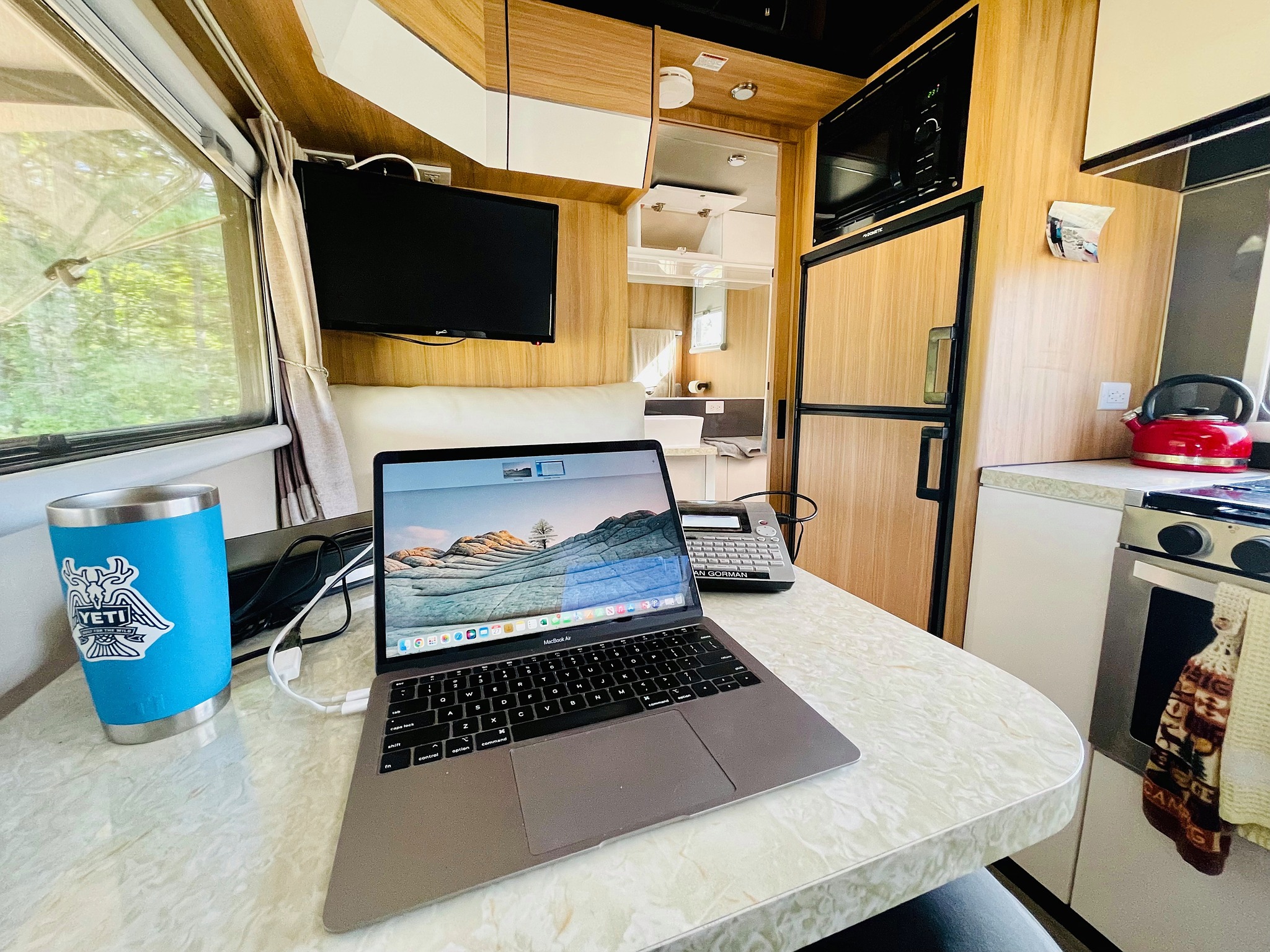
What Is a Digital Nomad RV Setup?
A digital nomad RV setup transforms your travel trailer into a mobile office capable of supporting full-time remote work. Unlike weekend camping rigs, these setups prioritize workspace functionality, reliable internet connectivity, and sustained power generation over recreational features.
The key difference between RV, van, and trailer setups lies in space allocation and power capacity. Travel trailers offer more interior volume for dedicated office areas, while vans provide mobility but limited workspace. Off-road trailers combine workspace potential with the ability to reach remote locations where traditional RVs cannot venture.
Modern digital nomads require stable internet, ergonomic workstations, and power systems that support 8-12 hour workdays without shore power connections.
Why RV Office Setup Matters for Remote Work
Poor workspace design creates immediate productivity barriers that impact professional performance. Common issues include unstable work surfaces that cause screen shake during typing, inadequate desk height leading to neck strain, and insufficient power capacity resulting in daily charging anxiety.
American digital nomads consistently report that desk stability and ergonomics rank as top concerns, followed closely by reliable power and internet connectivity. Without addressing these fundamentals, remote work becomes a struggle rather than an enhancement to the nomadic lifestyle.
Professional remote work demands the same environmental standards whether you’re in a corporate office or parked in a national forest. Your RV office setup directly determines whether you can maintain career momentum while traveling.
RV Office Setup – Desk Conversion Options

Fixed Desk Conversion
Permanent desk installations provide maximum stability and workspace area. This rv desk conversion approach involves removing existing furniture like dinette benches and installing a dedicated work surface with proper support brackets.
Fixed desks excel in stability and ergonomics but sacrifice flexibility. They work best for full-time nomads who prioritize work over dining space. Construction requires basic carpentry skills and careful measurement to ensure proper fit within your RV’s floor plan.
Fold-Down Multi-Use Desk
Convertible desk systems allow the same space to function as both workspace and dining area. These rv office setup solutions typically mount to walls or existing furniture, folding flat when not in use.
Popular designs include wall-mounted fold-down tables with leg support and convertible dinette systems that adjust between dining and desk height. While less stable than fixed options, they preserve living space functionality for couples or families.
Ergonomics in an RV Office
Proper desk height places your elbows at 90-degree angles while typing. Standard RV dinettes often sit too high for comfortable computer work, requiring either desk modification or adjustable seating solutions.
Monitor positioning should place the top of your screen at eye level to prevent neck strain during extended work sessions. External keyboards and mice improve wrist alignment compared to laptop-only setups, especially important for programming, writing, or design work.
RV Power Setup for Remote Work
Typical Power Needs for Daily Use
Modern remote work equipment creates substantial power demands that standard RV electrical systems struggle to meet. A basic setup including laptop (65W), external monitor (30W), Starlink internet (50-100W), and phone charging (10W) consumes 155-205 watts continuously.
Daily power consumption typically ranges from 800-1500 watt-hours depending on equipment and usage patterns. Video calls, photo editing, and external drives increase these requirements significantly. Content creators may need 2000+ watt-hours daily for cameras, lighting, and rendering workloads.
Understanding your rv power setup for remote work requirements prevents the frustrating scenario of losing power mid-workday in remote locations.
Battery Capacity Planning
Lithium batteries provide the energy density and cycle life necessary for professional remote work. A minimum 400Ah lithium bank supports basic computing needs, while 600-800Ah systems handle demanding workloads with reserve capacity for cloudy days.
Proper battery sizing accounts for depth of discharge limitations and charging efficiency. Plan for 50% usable capacity on lead-acid systems or 80% on lithium installations. For detailed battery maintenance and optimization, refer to our comprehensive RV Lithium Battery Maintenance: Charging & Discharging Guide.
Charging Sources
Solar panels provide the cleanest, quietest power generation for sustained off-grid work. Size your array to replace daily consumption plus 20% buffer for efficiency losses and weather variability.
A typical remote worker needs 600-1000 watts of solar capacity depending on geographic location and seasonal sun angles. DC-DC charging from your tow vehicle supplements solar during travel days, while shore power provides backup when available.
For complete off-grid power system design, our Lithium Battery Off Grid Trailer Power Guide covers sizing, installation, and optimization strategies.
Working Remotely from an RV – Best Practices
Working remotely from an RV requires establishing boundaries between work and living spaces even in compact quarters. Designated work hours help maintain professional productivity while preserving the recreational aspects of RV travel.
Network redundancy prevents lost work days due to connectivity issues. Primary internet through Starlink or cellular, backed up by hotspot devices on different carriers, ensures you can meet deadlines regardless of location. Position routers and antennas for optimal signal strength, often requiring external mounting solutions.
Climate control affects both comfort and equipment performance. Adequate ventilation prevents overheating of computers and routers, while heating considerations matter for winter nomads. Battery-powered fans and 12V air circulation systems help maintain optimal working temperatures without excessive power consumption.
Planning work schedules around power generation maximizes productivity during peak solar hours while reserving battery power for evening communication and client calls.
Best Digital Nomad RV Setup Checklist
Essential components for professional remote work capability:
- Stable desk surface with proper ergonomic height
- External monitor, keyboard, and mouse for comfort
- 500-1000Wh usable battery capacity minimum
- Solar input sized for daily consumption plus 20%
- Redundant internet through multiple carriers
- Proper task lighting independent of overhead fixtures
- Climate control for equipment and personal comfort
- Cable management systems for safety and organization
This checklist ensures your mobile office meets professional standards regardless of campsite location or amenities.
Real-World Digital Nomad Scenarios
Full-time remote workers benefit most from permanent desk installations and maximum power capacity. Their setup priorities focus on productivity over recreational features, often sacrificing dining space for dedicated office areas.
Content creators require additional power for cameras, lighting, and video editing equipment. Their setups often include external monitors, high-capacity storage, and robust cooling systems to handle rendering workloads.
Software developers need multiple monitors and extended work sessions, making ergonomic considerations and stable power supply critical. Their setups typically feature standing desk options and advanced cable management.
For comprehensive guidance on choosing trailers optimized for remote work, see our Best Travel Trailer for Digital Nomads comparison guide.
Common Mistakes to Avoid
Underestimating power consumption leads to daily charging anxiety and productivity interruptions. Calculate your actual equipment draw rather than relying on manufacturer estimates, and plan for 20% buffer capacity.
Using dinette tables without modification creates ergonomic problems and workspace instability. Standard RV furniture prioritizes dining over computer work, requiring either replacement or significant modification for professional use.
Ignoring cable management creates safety hazards and workspace clutter. Loose cables present tripping risks and make equipment setup/breakdown more time-consuming.
Poor ventilation planning causes equipment overheating and reduces component lifespan. Computers and routers generate significant heat in confined spaces, requiring dedicated cooling solutions beyond standard RV ventilation.
Why Trailer Design Matters for Digital Nomads
Modern off-road trailers offer advantages for digital nomads seeking workspace flexibility and off-grid capability. Modular interior designs allow customization between office, dining, and recreational configurations without permanent modifications.
High-capacity electrical systems support demanding workloads while maintaining independence from campground hookups. Robust construction enables access to remote locations with superior internet coverage and fewer distractions.
BlackSeries trailers feature factory-installed solar preparation, lithium-ready charging systems, and flexible interior layouts that adapt to professional requirements. The combination of workspace potential and off-road capability opens destination possibilities unavailable to traditional RV setups.
For families balancing work and recreation, our Bunk Bed Off Road Trailer guide explores multi-generational nomad solutions.
FAQ – Digital Nomad RV Setup
How much power do I need to work remotely from an RV?
Most remote workers need 800-1500 watt-hours daily depending on equipment. Include laptop, monitor, internet device, and phone charging in your calculations, plus 20% buffer for efficiency losses.
Can I work full-time from an RV off-grid?
Yes, with proper power and internet systems. Solar arrays of 600-1000 watts combined with lithium batteries enable sustained off-grid work, while Starlink provides reliable internet in most locations.
What is the best desk setup in an RV?
Fixed desk installations provide maximum stability for full-time workers. Part-time nomads benefit from convertible dinette systems that transform between dining and work configurations.
Is solar enough for remote work?
Solar can meet remote work power needs with proper sizing and battery backup. Plan for 1.5-2x your daily consumption in solar capacity to account for weather variability and charging efficiency.

